Command-line walkthroughs
SQL Server
Chapters are in the video's description.
Sign in, pick a SharePoint list and a SQL Server destination, and run the replication from the command line with export-config, doctor and run. SQL Server destination page
ClickHouse
Sign in, pick a SharePoint list and a ClickHouse destination, and run the replication from the command line. ClickHouse destination page
MySQL
Sign in, pick a SharePoint list and a MySQL destination, and run the replication from the command line. MySQL destination page
Supabase Postgres
Sign in, pick a SharePoint list and a Supabase Postgres destination, and run the replication from the command line. Supabase Postgres destination page
Who it is for
Data engineers who want the replication in the same repo as the dbt models that read it. Consultants setting up the same migration for many customers. IT teams who run scheduled jobs on a server they already have. Anyone who needs the sync to run unattended without a managed deployment.
The commands
| Command | What it does |
|---|---|
spsync auth login | Delegated device-code sign-in, or app permissions with a certificate from the environment. |
spsync discover | List the sites, lists and libraries you can reach, with their columns. |
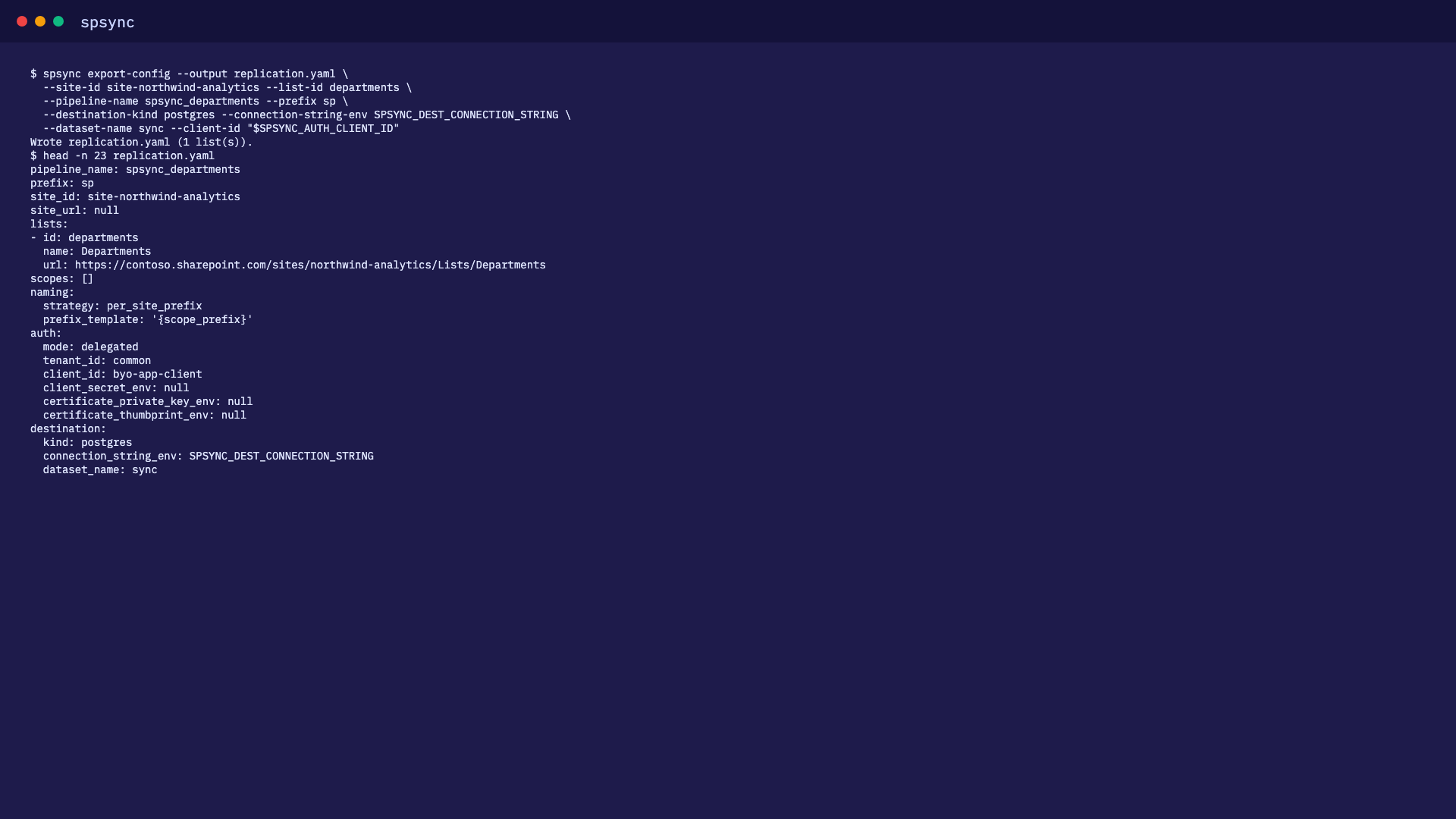
spsync export-config | Write a replication as YAML from site URLs and list names, ready to commit. |
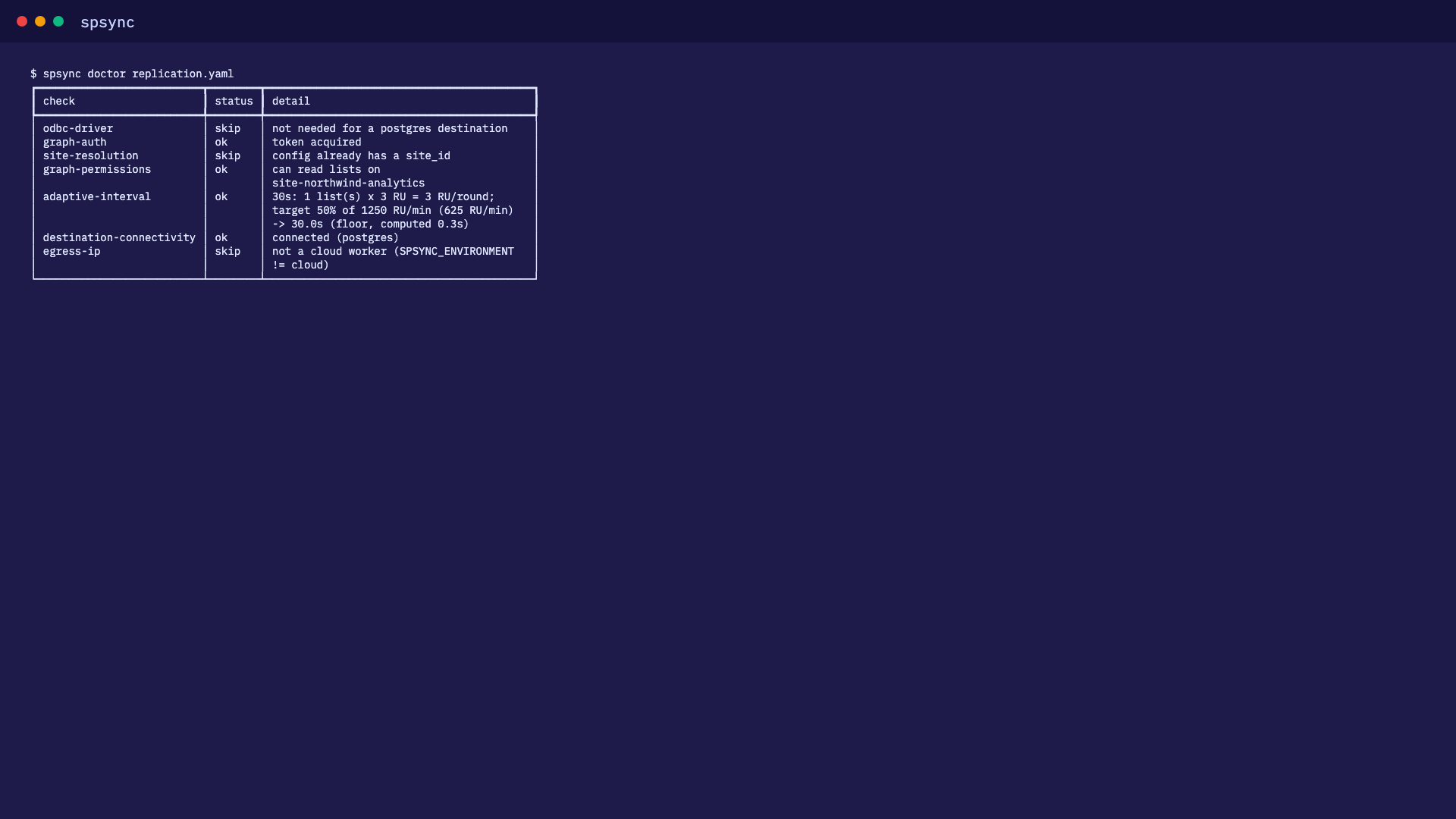
spsync doctor | Check permissions, connectivity and the destination before anything runs. Fails fast in a pipeline. |
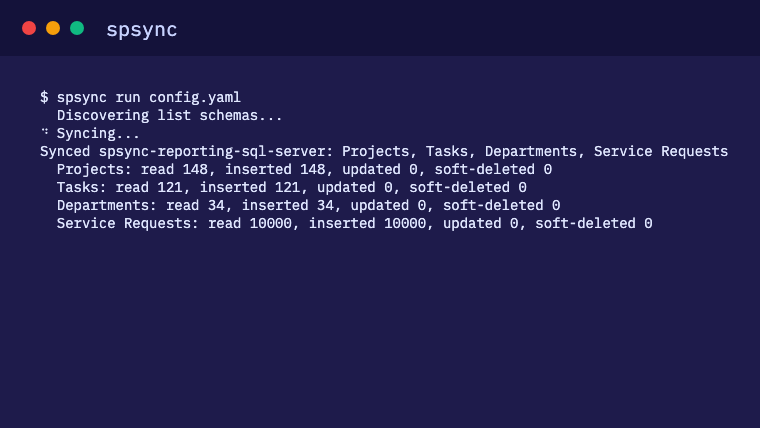
spsync run | Full load the first time, delta every time after. Prints the lists it synced, exits non-zero on failure for your scheduler. |
spsync reconcile | Full comparison against SharePoint, on demand. |
spsync batch create | One replication per site from a single batch definition. |
A replication as a file
This is what spsync export-config writes for two lists on one site, with the empty optional fields left out.
pipeline_name: projects
prefix: projects
site_id: contoso.sharepoint.com,11111111-1111-1111-1111-111111111111,22222222-2222-2222-2222-222222222222
site_url: https://contoso.sharepoint.com/sites/projects
lists:
- id: 33333333-3333-3333-3333-333333333333
  name: Projects
  url: https://contoso.sharepoint.com/sites/projects/Lists/Projects
- id: 44444444-4444-4444-4444-444444444444
  name: Tasks
  url: https://contoso.sharepoint.com/sites/projects/Lists/Tasks
auth:
  mode: delegated
  tenant_id: common
  client_id: 00000000-0000-0000-0000-000000000000
destination:
  kind: postgres
  connection_string_env: SPSYNC_PG
  dataset_name: sharepoint
sync_interval_seconds: 300
reconcile_interval_days: 7
deletes: soft
Commit it. A reviewer sees which lists will replicate and where, with no secret in the file. A scheduler, a container or a GitHub Actions cron runs spsync run projects.yaml; the first run builds the replica and each run after keeps it in sync.
Fits the tools you already run
- GitHub Actions, Azure DevOps, cron, Windows Task Scheduler and Airflow all read its exit codes and structured logs.
- In a container, run the same command in your own base image today. An official image is on the roadmap, which will make a sidecar next to your database a few lines of compose.
- With dbt and notebooks, put the sync step before the models that read the tables.
- Across many sites and customers, batch definitions and site prefixes make the same setup repeatable.
Good to know
- There is no packaged installer for the command line yet. Book a call and we install it with you, separately from the desktop app.
-
Licensed with the same machine-bound key as the desktop app: a server running the
command line is one installation;
spsync licence statusshows which applies. See how licensing works. - See the CLI reference and the CI walkthrough.
Frequently asked questions
Is the command line a different product?
No. It is the same engine as the desktop app and the Azure managed application, driven by a YAML file. The same licence key activates it, and the tables it creates are identical.
How do I sign in without a browser on a server?
Use app permissions: an app registration with Sites.Selected granted per site, authenticating with a certificate or client secret from an environment variable. For a quick start on your own machine, delegated device-code sign-in works too.
Can I keep the config in git?
Yes. The YAML names the site, the lists, the destination and the sync interval. Connection strings and client secrets are environment-variable references, so the file holds no secret and is safe to review and diff.
What happens if a run is retried?
A re-run from CI or a scheduler is safe. The first run against a config is a full load, and every run after is a delta keyed on SharePoint's change tokens. A reconcile compares everything when you want to confirm the two sides still match.
Can one config cover many sites?
Yes. Repeat the site URL, or use a batch definition to write one replication per site from a single file, choosing lists by name or by exclusion on each.