Replicate SharePoint to any database. Keep it in sync.
Your SharePoint lists, as tables in your own database
SPSync is a read-only replication tool that copies SharePoint Online lists and document library metadata into SQL Server, PostgreSQL, MySQL and 28 other databases, warehouses and search stores, and keeps them in sync with incremental delta queries. People keep editing in SharePoint while Power BI, your apps and AI agents read the copy.
On a call we can talk through your use case, show you more walkthroughs and set up a trial in your own environment. SPSync runs as a desktop app for macOS and Windows or from the command line, and it never writes to SharePoint or installs anything there.
Where it starts
Signs a list has outgrown SharePoint
If more than one of these describes your week, the list needs a database behind it.
A list passed 5,000 items, and views and reports that used to work now error.
The Power BI or Excel refresh against the SharePoint connector gets slower every month, then times out.
A developer wants a key to join on, but all SharePoint gives them is a lookup id.
Copilot Studio only returns data from the first 2,048 rows of the list, so the agent's counts stop matching the list view.
Security won't approve the app registration our agent needs until someone can say what its Graph permissions would let it read.
Each question the agent answers pages through the same lists again, and one runaway loop of tool calls can trip throttling for everyone else on the tenant.
What you get
A copy in your own database that stays current
SharePoint's list APIs were built to show a page of items to a person. A database copy pays SharePoint's limits once, on SPSync's schedule, and never again for each query.
Every row, past the view threshold
Large lists are read by delta query and paged the way Microsoft recommends, within the tenant's throttling limits. Tested to 10,000 items on a live tenant and to 1,000,000 on a synthetic Graph. Power BI, Excel and your apps see the whole list, with no view threshold error.
Tables that join
A lookup becomes a key column you can join on. Multi-choice columns become child tables, and people resolve to one users table. SQL and warehouse destinations also get generated reporting views for Power BI DirectQuery. A text-to-SQL tool or an agent's query tool reads the same schema, with no lookup ids to resolve.
Changes within minutes
After the first load, each run moves only what changed. A reconcile (weekly by default, or on demand with the command-line tool) confirms SharePoint and your database still match, or catches you up after an outage on your side or Microsoft's. Deleted items are kept and flagged, and new columns are added without breaking a run.
Setting it up is a sign-in, a few ticked lists and a database connection, and the first rows usually appear within minutes. SPSync asks for read permissions only and keeps the content in your database, so the security review has short answers.
How it fits together
Where the data goes
The diagram lists every destination we ship or are building.
Source
- Lists and Microsoft Lists
- Document library metadata
- Lookups, people and choices (column types)
- Any number of sites
Replicate, then keep in sync
Desktop appmacOS and Windows In your AzureYour subscription, deployed with you Command lineScripts, servers, CIOne engine in all three. Same schema, same delta sync, same licence key.
Destinations
Relational databases
Warehouses and lakes
How it works
From SharePoint to your database, in seven steps
See the full walkthrough, with screenshots.
-
01
Connect to SharePoint
Sign in with Microsoft, with delegated access, or with app permissions scoped to specific sites through Sites.Selected. Find any site by name or URL, including subsites, without asking IT to list them first.
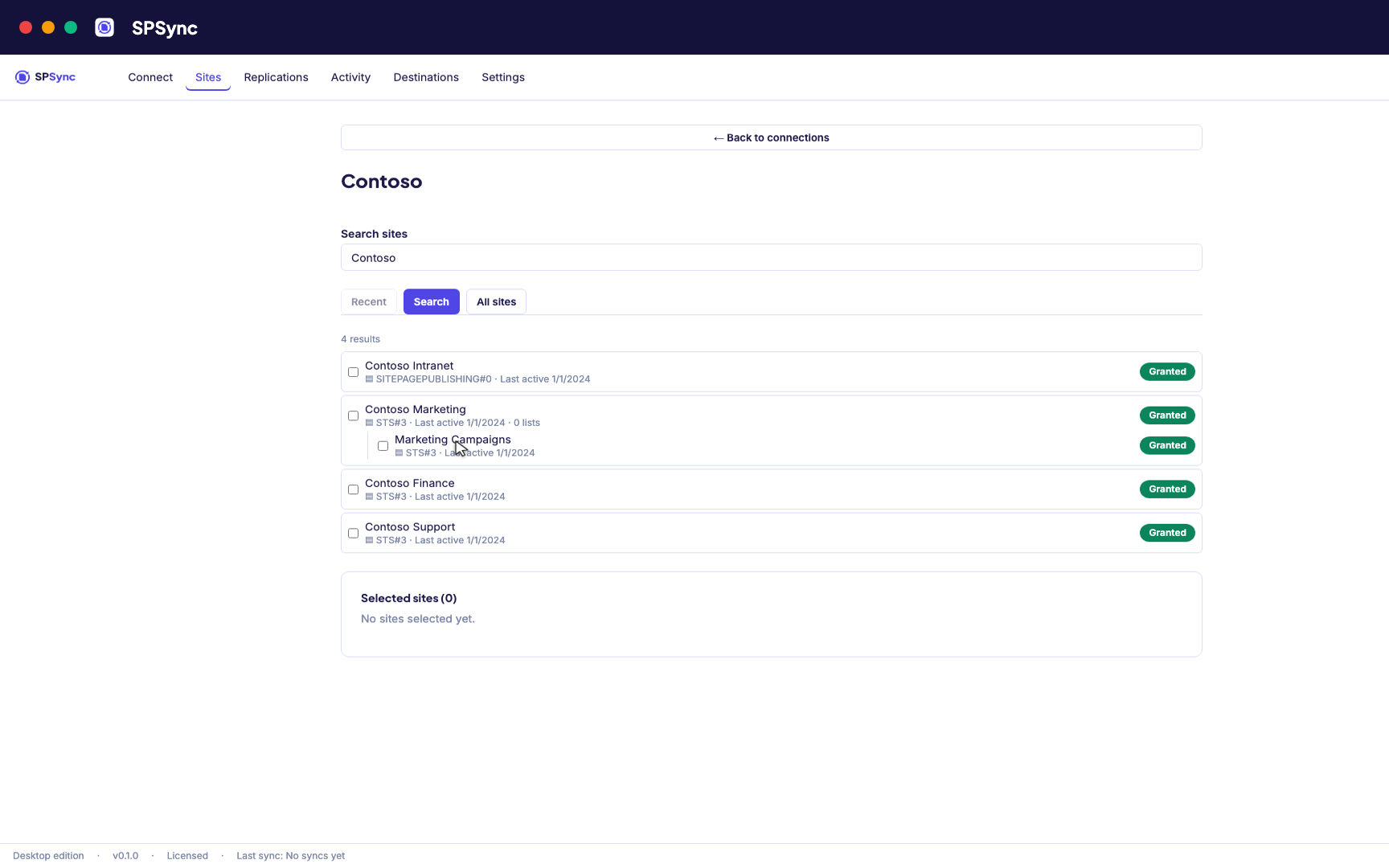
Sign in with Microsoft, then find a site by name or URL, including subsites. -
02
See what you are replicating
SPSync shows every list and library on a site, with its columns and item counts, as soon as you pick a site. You can check what you are about to replicate before you tick anything.
-
03
Choose lists and libraries
Tick individual lists, pick by a name pattern, or sync the whole site so new lists are picked up automatically. The same options work at any level of the site hierarchy.
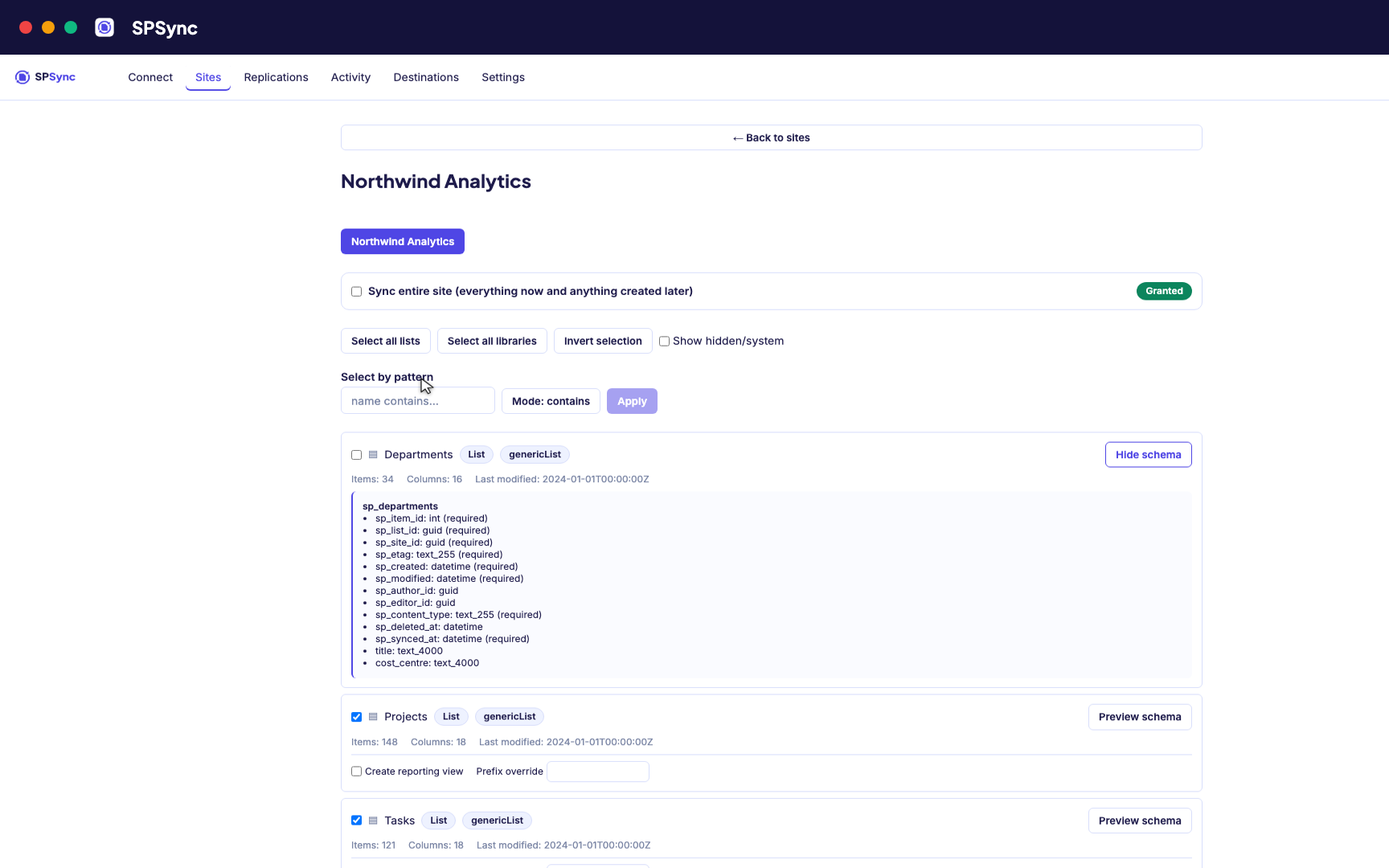
Tick lists individually, pick by name pattern, or sync the whole site, with a schema preview. -
04
Connect your database
SQL Server, Azure SQL, Postgres and the rest. Test the connection before you commit. SPSync generates and maintains the tables, so there are none to create by hand.
Destination setup guides · If the test fails: troubleshooting
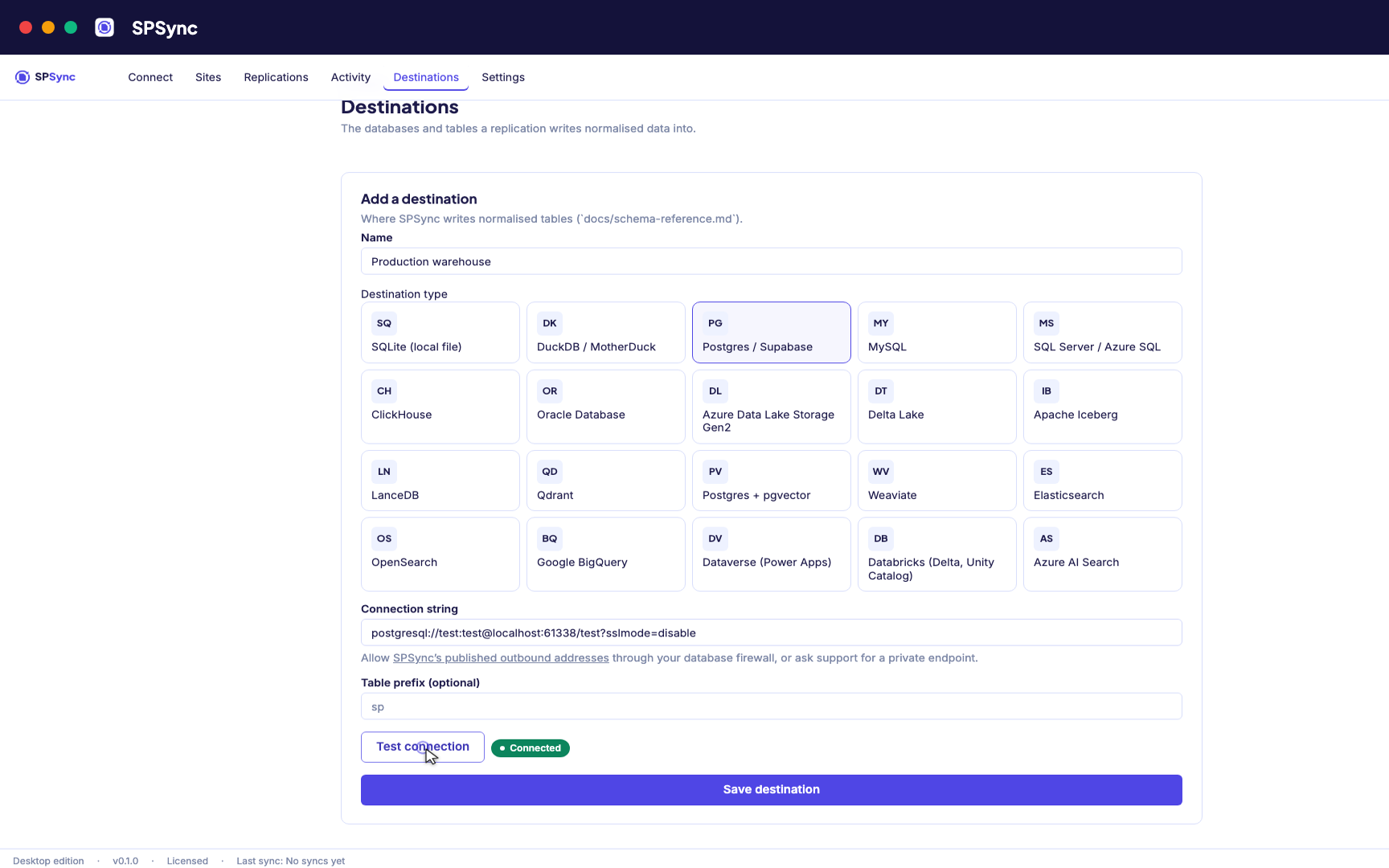
Point at your database. Test the connection, then SPSync creates and maintains the schema. -
05
Run and keep it in sync
A full load first, then deltas on your schedule with a reconcile behind it, weekly by default. Throttling and list view thresholds are handled for you, lookups arrive as keys, and deletes are kept.
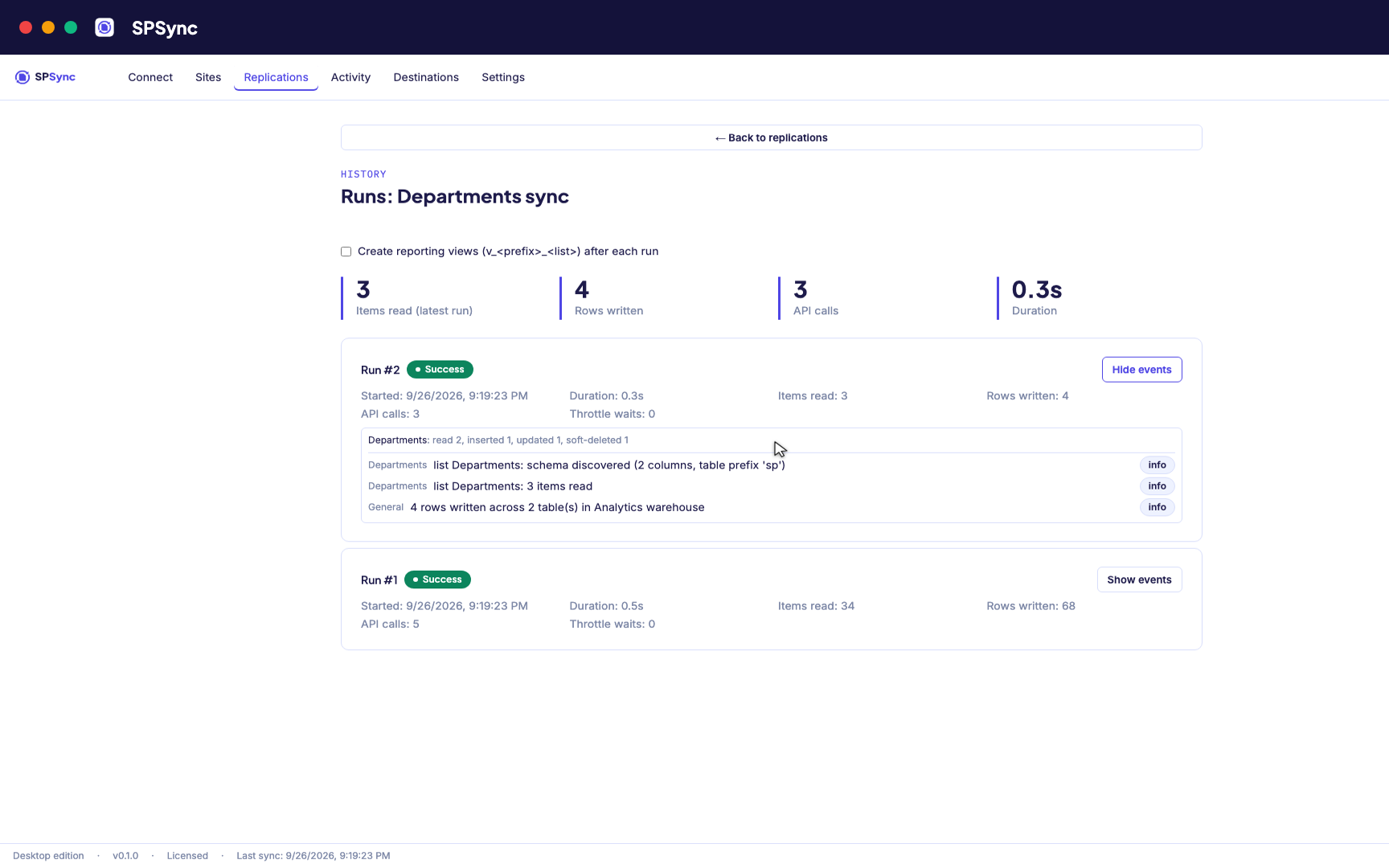
Every run's per-list counts: rows read, inserted, updated and soft-deleted. -
06
Bring sites together and report on it
Replicate many sites into one database, with generated reporting views ready for Power BI DirectQuery on SQL and warehouse destinations. The same tables give any other application a stable SQL interface.
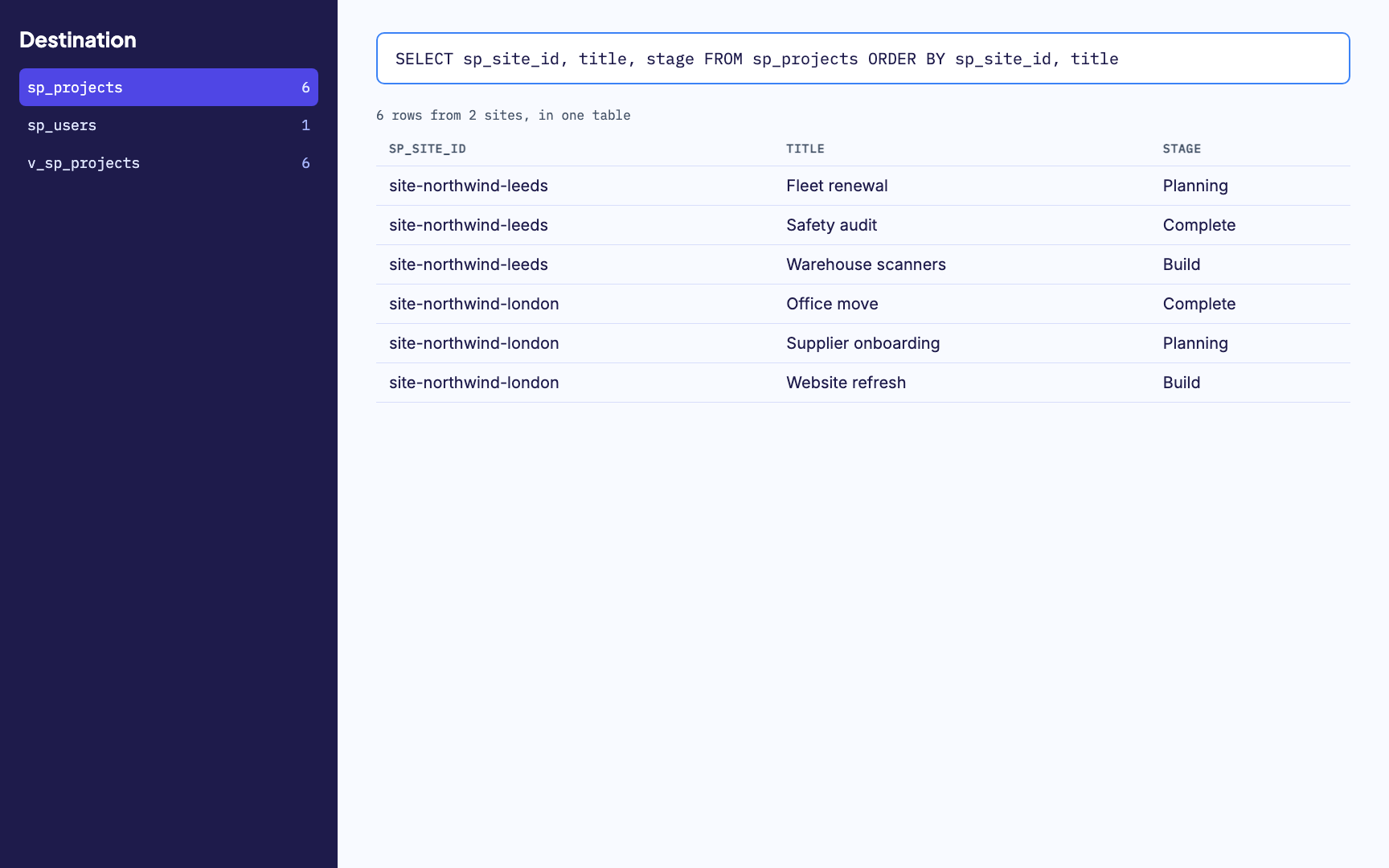
Many sites merged into one table, with a generated reporting view alongside. -
07
Watch it run
Activity and run history sit in one place, with every error named by column. From any run you can send us its diagnostics when you want help with it.
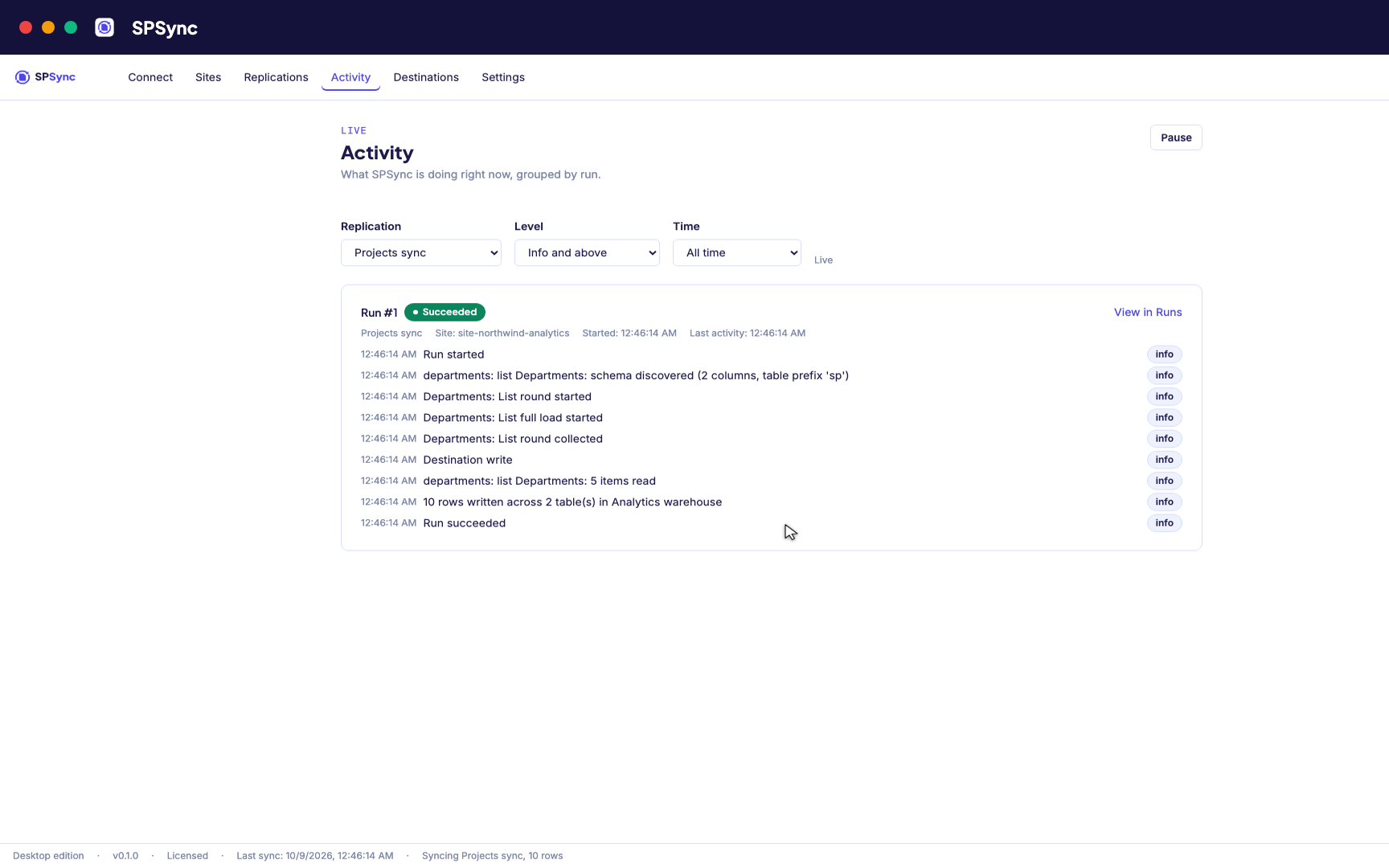
Activity: every run's own steps, live, grouped by run.
For agents and Copilot
One copy of SharePoint for every tool that reads it
Agents and MCP tools
Give each agent a read-only database login over the copy and keep every Graph call with SPSync. Any Postgres or SQL Server MCP server works against it, and SPSync's own spsync mcp serve is a read-only one.
Copilot Studio
Copilot Studio answers from the first 2,048 rows of a list it holds as knowledge. Ground it on Azure SQL or Azure AI Search filled from the list instead.
Retrieval and embeddings
SPSync writes embeddings into Postgres with pgvector or Azure AI Search on each sync, re-embedding only the rows whose text changed.
Editions
Run it the way your team works
Whichever edition you choose, the engine, the tables and the licence key are the same.
Desktop app
macOS and Windows. Sign in with Microsoft, tick lists, choose a database, and sync from your own machine. Delegated sign-in needs no admin, unless your tenant requires admin consent for apps.
In your Azure
SPSync in your Azure, a managed application for your own subscription, is deployed with you on a call while the Marketplace listing is prepared. Once deployed it is always on, with the same interface in the browser, your own app registration, and list content kept in your database.
Command line
Every replication as reviewable YAML. Run from a server, a container or CI, and re-run safely any time. Every use case here ends with the script.
Numbers
What we measured on a laptop
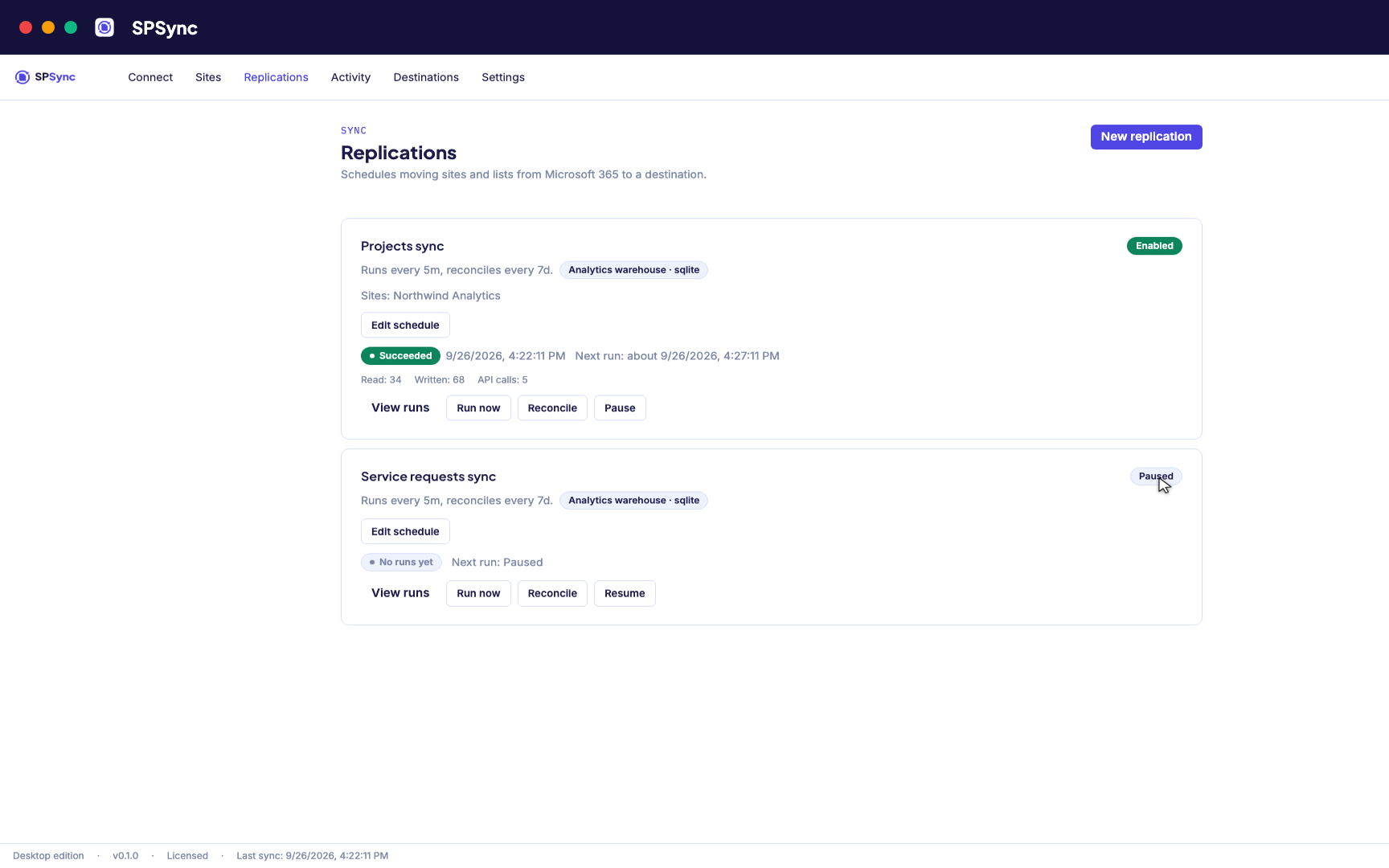
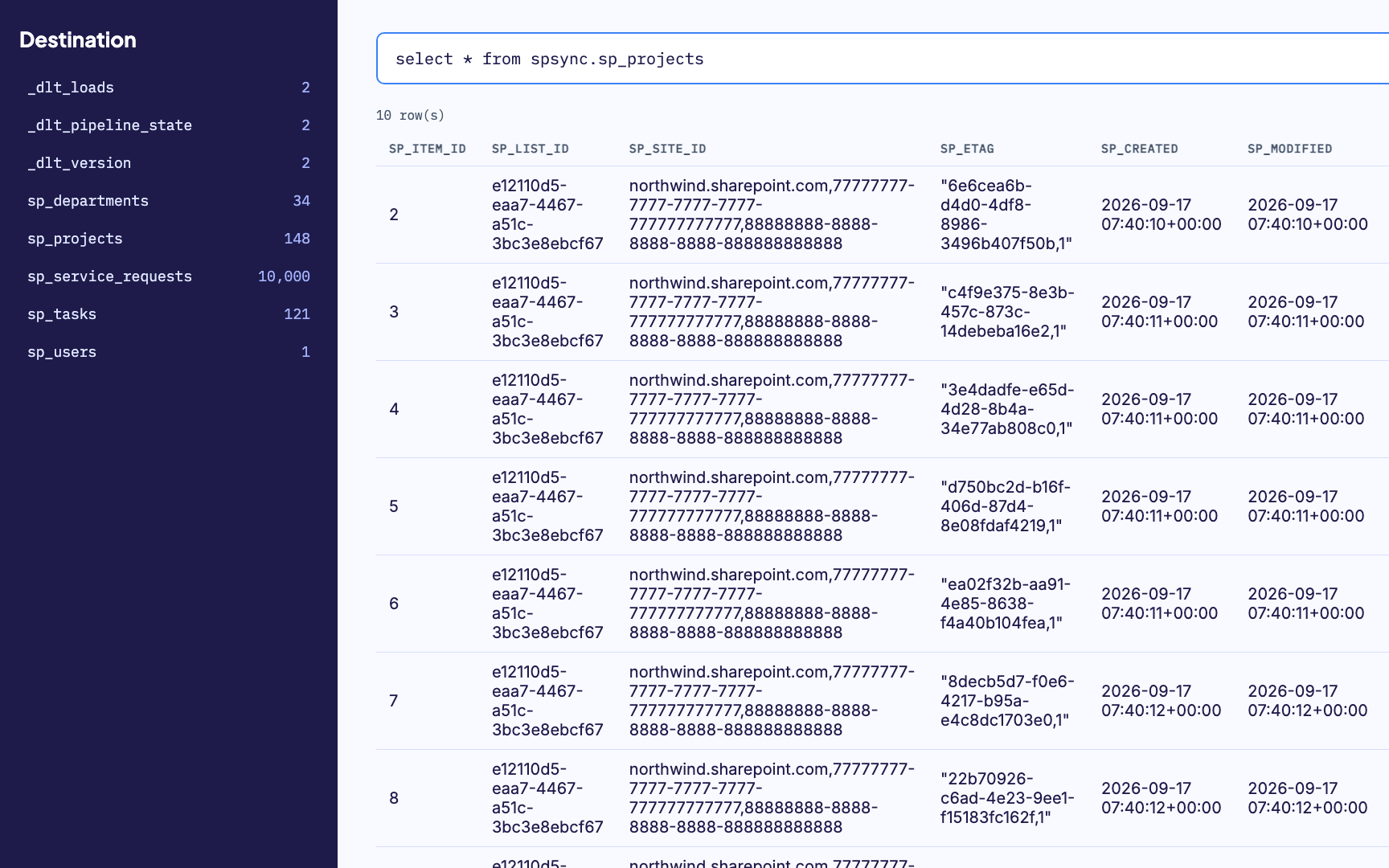
The 11 s and 6 s figures were measured once on a laptop against a live Microsoft 365 tenant. Our 1 RU figure comes from SPSync's own metering, about 1 RU per list per delta round; a live tenant charges roughly twice that. The 0-writes figure follows from the read-only design.
Compare
Already tried Data Factory, Power Automate or a connector?
Where each route works, and where it starts to break.
vs Azure Data Factory
Lookup and person columns arrive as integer IDs in the connector's documented type mapping.
vs Power Automate
There is no native delta or replication pattern, so creates, updates and deletes each need separate flow logic.
vs Fabric Dataflows
Runs consume Fabric capacity, so cost depends on your capacity and refresh schedule.
FAQ
Frequently asked questions
Does SPSync change anything in SharePoint?
No. It reads through Microsoft Graph with the permissions you grant and installs no agent, add-in or app inside SharePoint. There is no code path that creates, updates or deletes a SharePoint item.
How current is the copy?
A full load first, then deltas on the schedule you set, as often as every few minutes, with a reconcile behind it (weekly by default, and configurable). The reconcile is a full comparison that confirms SharePoint and your database still match, and catches you back up if your own server or Microsoft 365 has had an outage. You can also force one with the command-line tool, which is a separate install from the desktop app.
Will it work on our largest lists?
SPSync has been tested to 10,000 items on a live tenant and to 1,000,000 on a synthetic Graph. Lists are read by delta query and paged the way Microsoft recommends, so the 5,000-item view threshold does not apply, and every request respects the tenant's throttling.
Can SharePoint be used as a database?
For one team's records, yes, and many lists should stay that way. A list stops working as a database once dashboards, apps and agents elsewhere need every row of it. Keeping the list for editing and reading from a SQL copy is one route; where a list stops being a database sets it beside Dataverse and a full move.
What will our security review ask, and what do we answer?
Least-privilege access (delegated sign-in, or app permissions per site with Sites.Selected), read only against SharePoint, and the content kept in your own database. The security page has the detail your reviewer will want.
Can an AI agent or Copilot Studio read the copy?
Yes, because the copy is a database. An agent's SQL tool, a Postgres or SQL Server MCP server you already run, or a text-to-SQL chat connects to it with a database login. Copilot Studio can ground on Azure SQL or Azure AI Search filled from your lists. SPSync ships no agent of its own, but spsync mcp serve is a read-only MCP server over the copy; SPSync keeps the copy current and holds the only Graph connection. See an agent data layer for SharePoint.
What can an agent see, and can it change SharePoint?
It sees whatever its database role is granted, and nothing in SharePoint. SharePoint item permissions are not copied into the replica, so you scope the agent with a read-only role, views and row-level security on the database. There is no write path from the copy to SharePoint, because SPSync never writes to it. Write-back is designed around changes a person approves.
Which databases can we replicate it into?
SQL Server, Azure SQL, Postgres, Supabase, MySQL, DuckDB, MotherDuck, Parquet, ClickHouse, SQLite, Oracle Database, Elasticsearch, OpenSearch, LanceDB, Qdrant, pgvector, Weaviate, BigQuery, Databricks and Azure AI Search. The SQL and warehouse destinations get a generated view layer ready for Power BI DirectQuery and a stable SQL interface for anything else you build. Postgres with pgvector and Azure AI Search also receive embeddings SPSync generates on each sync. Elasticsearch, OpenSearch, LanceDB, Qdrant and Weaviate receive the replicated columns for keyword and filtered search, with no vector. Lakehouse file destinations such as Parquet receive files.
How do we get started?
Book a call and we will run it against your own tenant and size a licence with you.
See it against your own tenant this week
A 20-minute call is enough to show it against your own lists and size a licence.